> ## Documentation Index
> Fetch the complete documentation index at: https://getsoda.app/docs/llms.txt
> Use this file to discover all available pages before exploring further.
# Pause Soda during a call
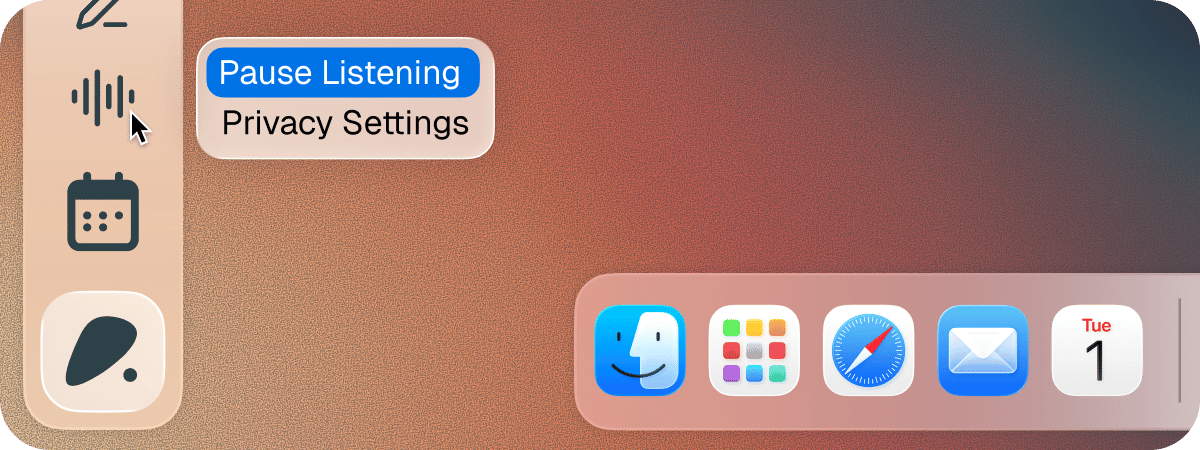
Click the **Soda** tile in the bottom-left corner, then click the sound wave. Click it again to resume.
Pause when the conversation turns to something you'd rather Soda didn't hear. While Soda is paused, the tile says "Paused. Click to resume" when you hover over it. Nothing from the paused stretch is kept (we don't even hear it).
 ## Stop Soda for longer
To stop Soda listening to a specific app altogether, [turn that app off](/docs/calls/choose-platforms).
To remove a call once it's over, delete it from your memory. See [Delete a memory](/docs/memory/your-memories#delete-a-memory).
## Next steps
Turn off the apps you'd rather Soda didn't hear.
Find a call, check it, or delete it.
This documentation is built and hosted on [Mintlify](https://mintlify.com), a developer documentation platform.
## Stop Soda for longer
To stop Soda listening to a specific app altogether, [turn that app off](/docs/calls/choose-platforms).
To remove a call once it's over, delete it from your memory. See [Delete a memory](/docs/memory/your-memories#delete-a-memory).
## Next steps
Turn off the apps you'd rather Soda didn't hear.
Find a call, check it, or delete it.
This documentation is built and hosted on [Mintlify](https://mintlify.com), a developer documentation platform.