> ## Documentation Index
> Fetch the complete documentation index at: https://getsoda.app/docs/llms.txt
> Use this file to discover all available pages before exploring further.
# Meeting apps Soda works with
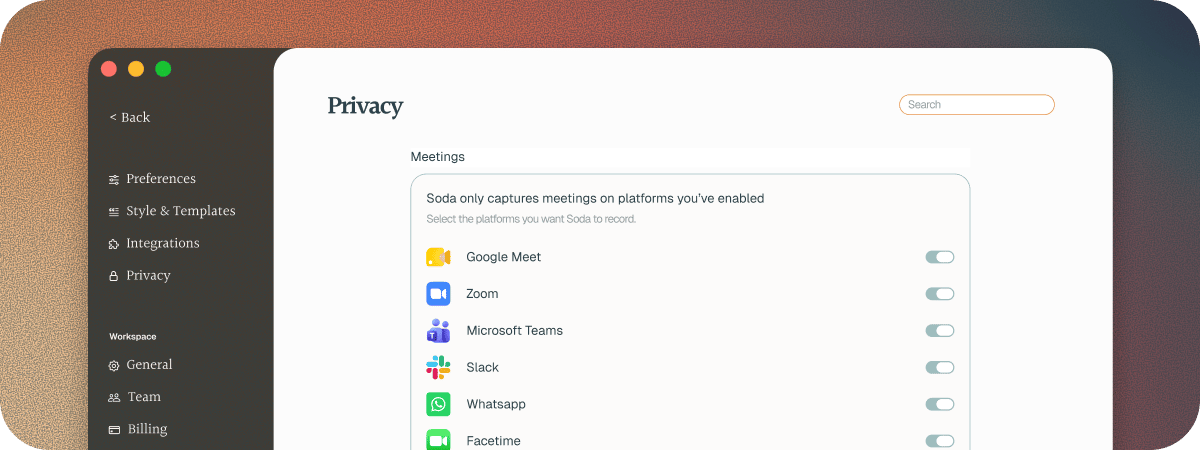
Soda works with the meeting apps you already use. There's nothing to install in them, and no bot joins your call.
* Zoom, in the app or your browser
* Google Meet, in your browser
* Microsoft Teams, in the app or your browser
* Slack huddles, in the app or your browser
* WhatsApp
* FaceTime
In your browser, Soda works in Chrome, Safari, Arc, Edge, Brave, Vivaldi, and Firefox. Safari needs one extra step. See [Set up Safari](/docs/getting-started/safari).
You can turn any of these apps off. See [Choose which apps Soda listens to](/docs/calls/choose-platforms).
 ## Phone calls and in-person meetings
Soda doesn't hear phone calls on your iPhone yet, or meetings in a room with no call app. It's one of our most requested features, and it's on our roadmap.
## If Soda didn't notice a call
See the questions at the end of [Your first call](/docs/getting-started/your-first-call#questions).
## Next steps
Turn off the apps you'd rather Soda didn't hear.
Stop listening for a moment, then pick up again.
This documentation is built and hosted on [Mintlify](https://mintlify.com), a developer documentation platform.
## Phone calls and in-person meetings
Soda doesn't hear phone calls on your iPhone yet, or meetings in a room with no call app. It's one of our most requested features, and it's on our roadmap.
## If Soda didn't notice a call
See the questions at the end of [Your first call](/docs/getting-started/your-first-call#questions).
## Next steps
Turn off the apps you'd rather Soda didn't hear.
Stop listening for a moment, then pick up again.
This documentation is built and hosted on [Mintlify](https://mintlify.com), a developer documentation platform.