

1
Open Settings
Click your name at the bottom of the Soda sidebar, then choose Settings.
2
Go to Privacy
Click Privacy.
3
Turn off the apps you don't want
The switches are Google Meet, Zoom, Microsoft Teams, Slack, WhatsApp, and FaceTime.
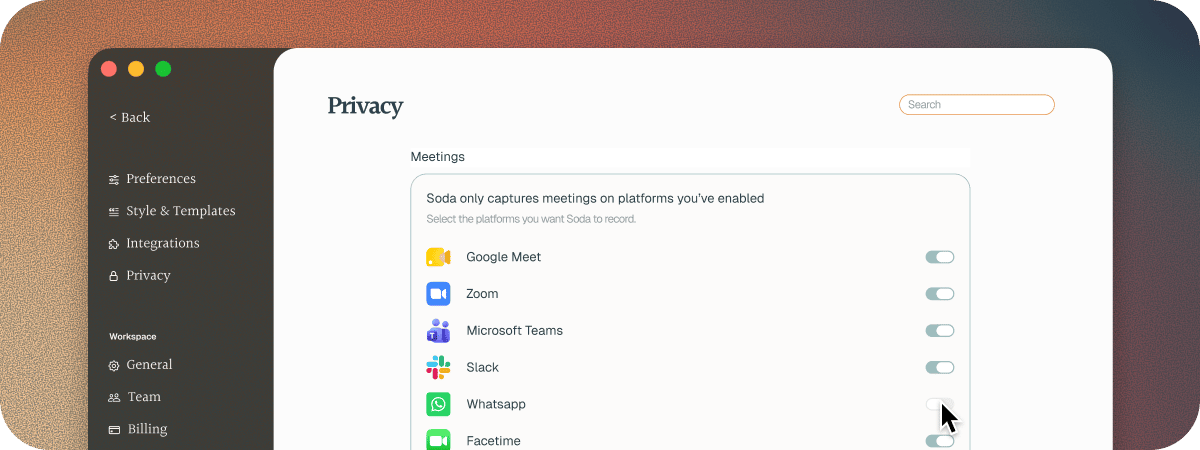
A change applies from your next call. It doesn’t stop a call that’s already under way. To stop listening now, pause Soda.
Next steps
Pause Soda during a call
Stop listening part way through a call.
Meeting apps Soda works with
The apps and browsers Soda hears calls in.