

Add someone to your exclusion list
1
Open Contact Settings
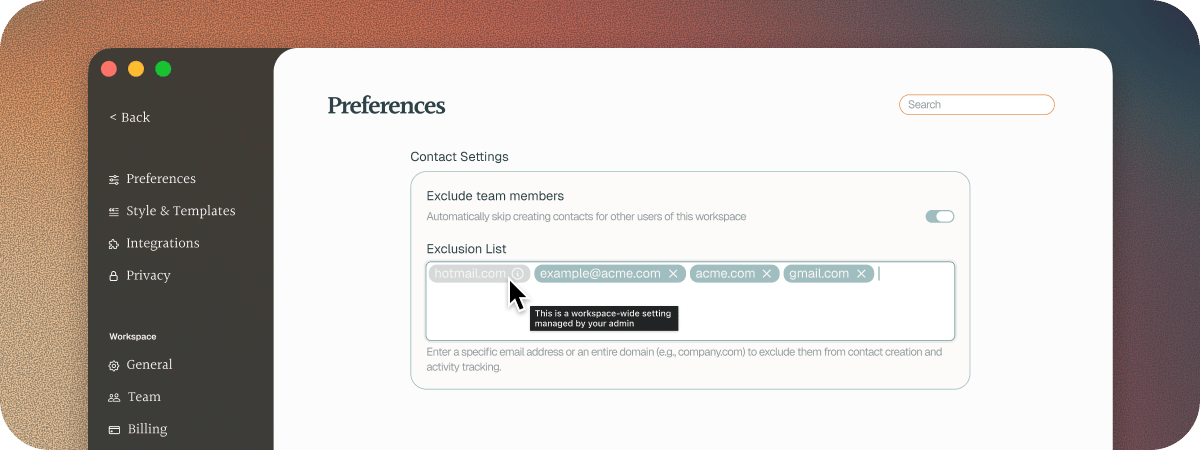
Go to Settings > Preferences and scroll to Contact Settings.
2
Type an email address or a domain into Exclusion List
Use a full email address for one person, or a domain for everyone at a company.
3
Press Return
The entry is added to your list and saved straight away.
Leave out your colleagues
Soda remembers your colleagues as well as your customers, so what your manager asked for in your last one-to-one is there when you need it. If you’d rather not keep your memory for your colleagues, turn on Exclude team members. With it on, Soda doesn’t create profiles for people in your workspace, and a meeting or email thread with only colleagues in it isn’t saved.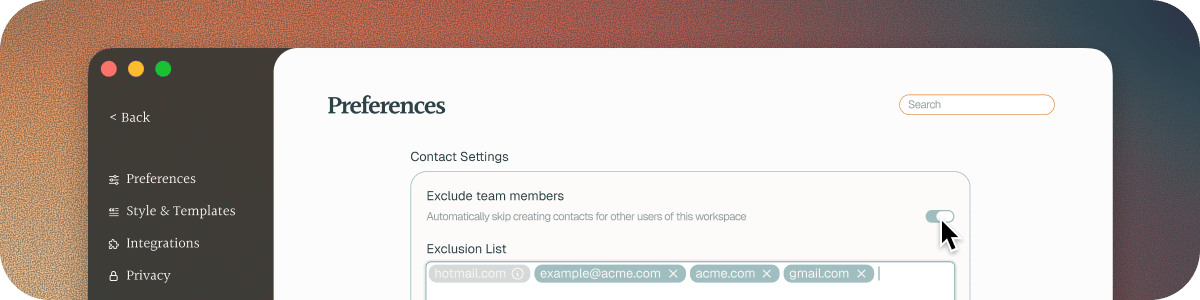
What happens to a conversation with excluded people
It depends on who else was in it. Soda looks at everyone apart from you.Everyone else is excluded
If everyone in a conversation is on your exclusion list, Soda doesn’t keep it. It doesn’t become a memory, and nobody in it gets a profile. For an email thread, that means everyone else who wrote in it is excluded.Only some are excluded
If at least one person in the conversation isn’t excluded, Soda keeps it:- It writes it up, and updates the profiles of everyone who isn’t excluded.
- It learns nothing about the excluded people, and doesn’t create profiles for them.
- Excluded people can still be named in the write-up, or given an action item. That’s deliberate. What they said or promised can matter to the people you do want to remember.
How excluded people look
Where Soda shows who’s in a meeting, like Upcoming meetings or your Inbox, an excluded person appears greyed out. Hover over them and you’ll see “This contact is in the exclusion list”, with a pointer to Settings > Preferences.The workspace exclusion list
Admins can create an exclusion list for the entire wrkspace. Go to Settings > Workspace > General, and add them to Workspace Exclusion List under Contact Settings. It works the same way as your own list, for everyone in the workspace. See how to set up Soda for your team.Excluding someone Soda already knows
Excluding someone doesn’t delete what Soda already knew about them. Say you add your accountant after a few calls, and Soda has already built them a profile. Their profile and details stay, but nothing new is added. Changed your mind? Click the × on their entry in Exclusion List. They come back with everything Soda knew about them. To remove a past conversation, delete that memory. See how to delete a memory.Which control to use
Next steps
Your memories
Find, open, and delete the calls and emails Soda has learned from.
When Soda gets it wrong
Check where a detail came from, and fix it.