Soda connects to your calendar and your email. You manage both in Settings > Integrations. To get there, click your name at the bottom of the Soda sidebar, then choose Settings.
  • Connected tools lists what you’ve connected, with each account’s email address.
  • Integrations lists what you can add. Click Connect next to one to add it.
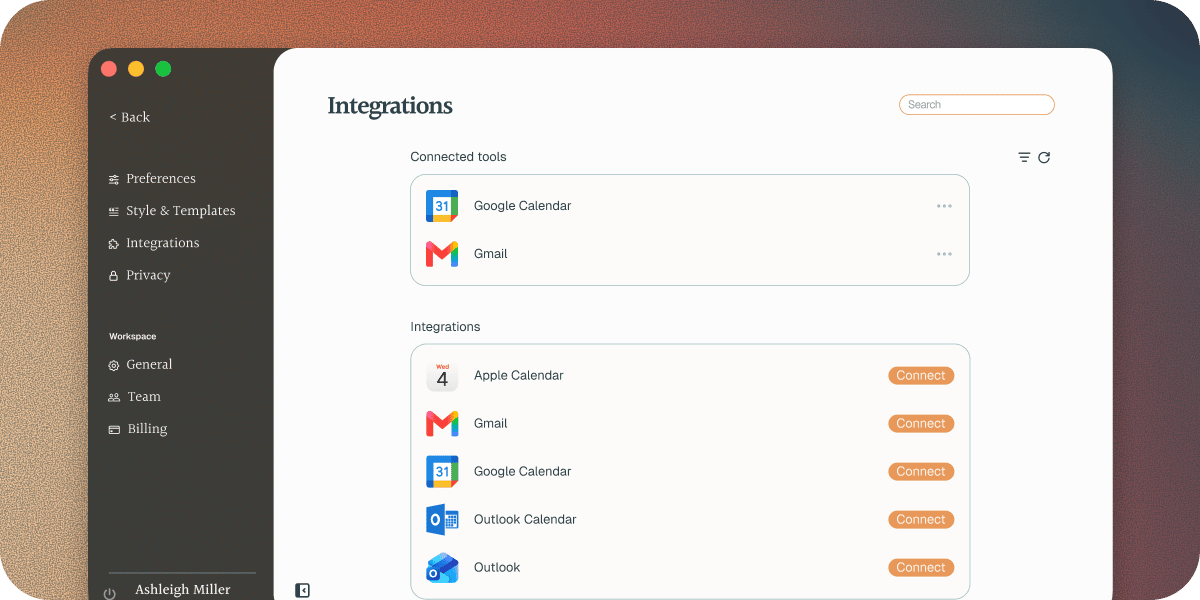
Soda Integrations

Calendars

Google, Outlook, or Apple. See your upcoming meetings and join in one click.

Gmail and Outlook

Soda learns from your email and drafts follow-ups in your voice.

If you see Reconnect needed

Reconnect needed on a row means Soda has lost access to that account. Click ⋯ on the row, then choose Reconnect, and approve Soda again in your browser. If the message mentions your organisation’s admin, your company needs to approve Soda first. Send them Approve Soda for your organisation.